★★★★★Used and validated by Hong Kong SME teams

Inventory Management System

Track stock levels in real time and move beyond Excel. Automate stock-in, stock-out, multi-warehouse sync and low-stock alerts.

Smart replenishment alerts Real-time multi-warehouse sync
See our background

In 2026, is inventory still being checked through paper records and warehouse calls?

Manual errors slow down stocktaking

  • Handwritten records make product movement hard to trace
  • Wrong quantities or SKU codes affect stocktaking accuracy
  • New staff need extra time to learn locations and warehouse workflows

Are warehouse teams still using handwritten records for stock-in and stock-out?

Manual errors slow down stocktaking

Replenishment decisions lack data

  • Ordering decisions rely heavily on experience and intuition
  • Slow-moving products occupy space while bestsellers may run out
  • Supplier lead times and order quantities lack a clear basis

Is replenishment still based on experience instead of sales speed and stock levels?

Replenishment decisions lack data

Stock data is too slow for customer replies

  • System stock and actual stock often do not match
  • Stock enquiries depend on warehouse staff response speed
  • Best-selling items may only be noticed after they run out

When customers ask about stock, does your team still need to call the warehouse first?

Stock data is too slow for customer replies

How inventory control becomes clearer

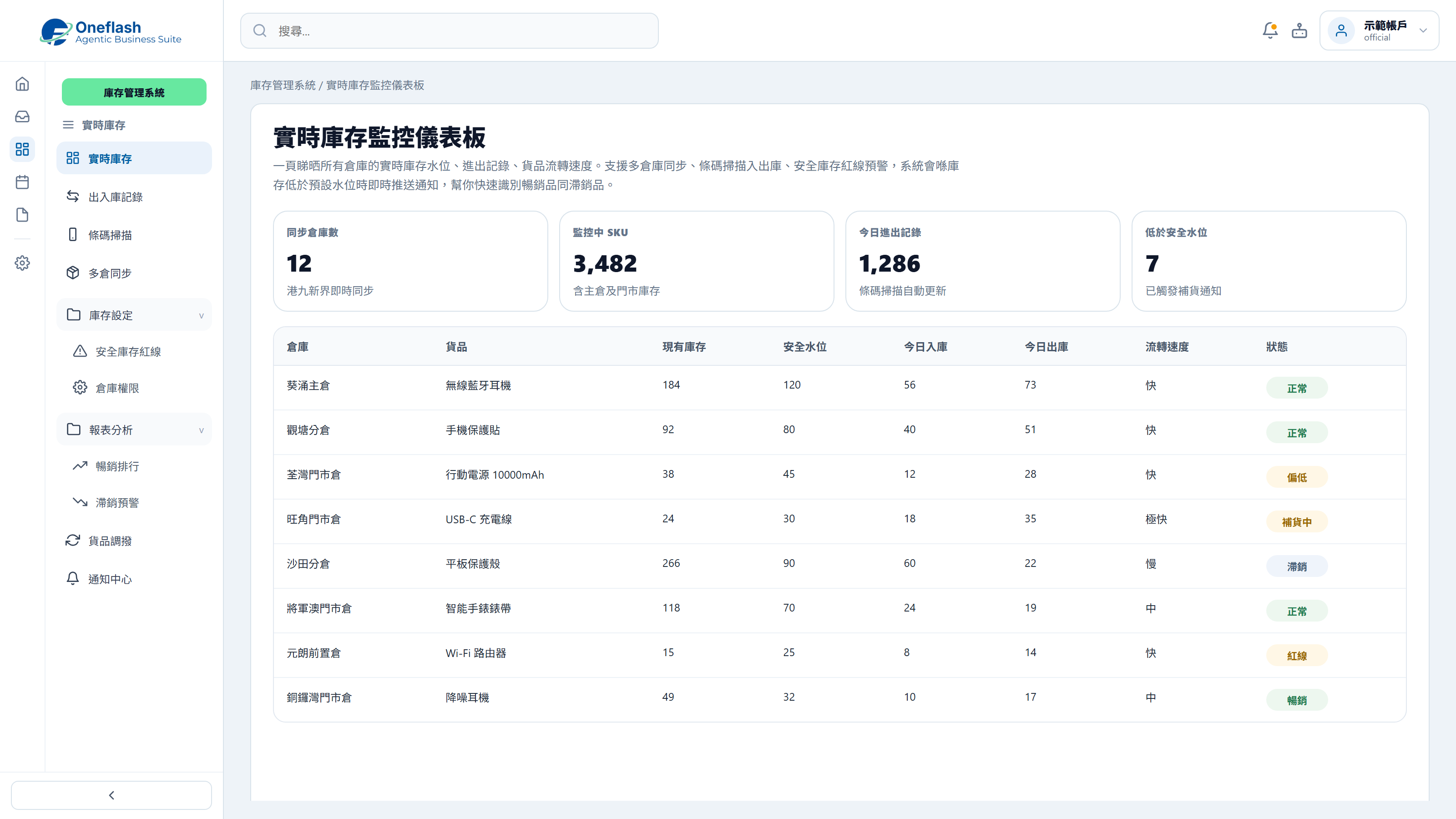
Multi-warehouse stock monitoring

Show stock quantities and movement status across warehouses, with alerts when items fall below safety levels.

Multi-warehouse stock monitoring

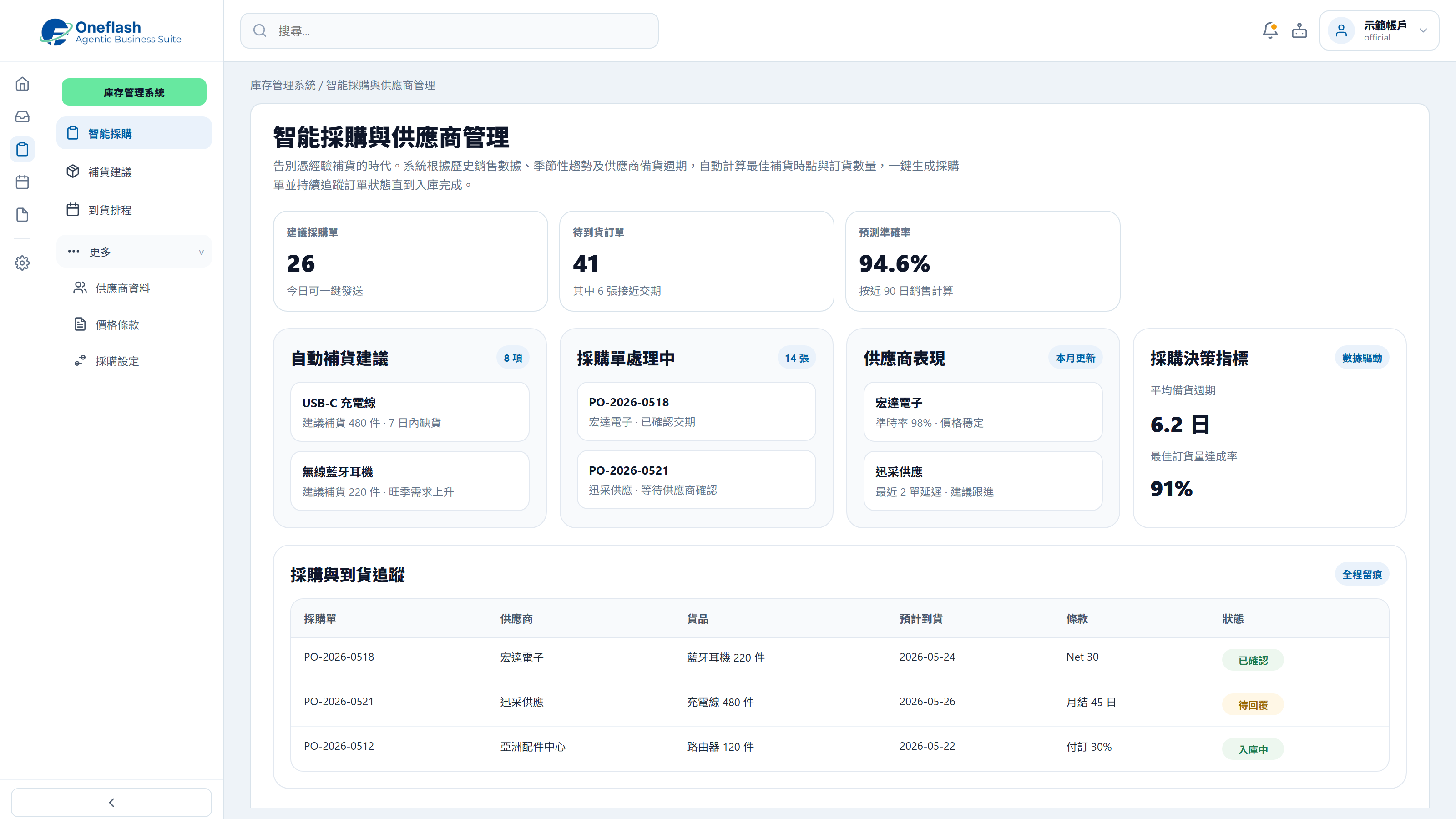
Replenishment suggestions

Use sales records and supplier lead times to calculate when purchasing should follow up.

Replenishment suggestions

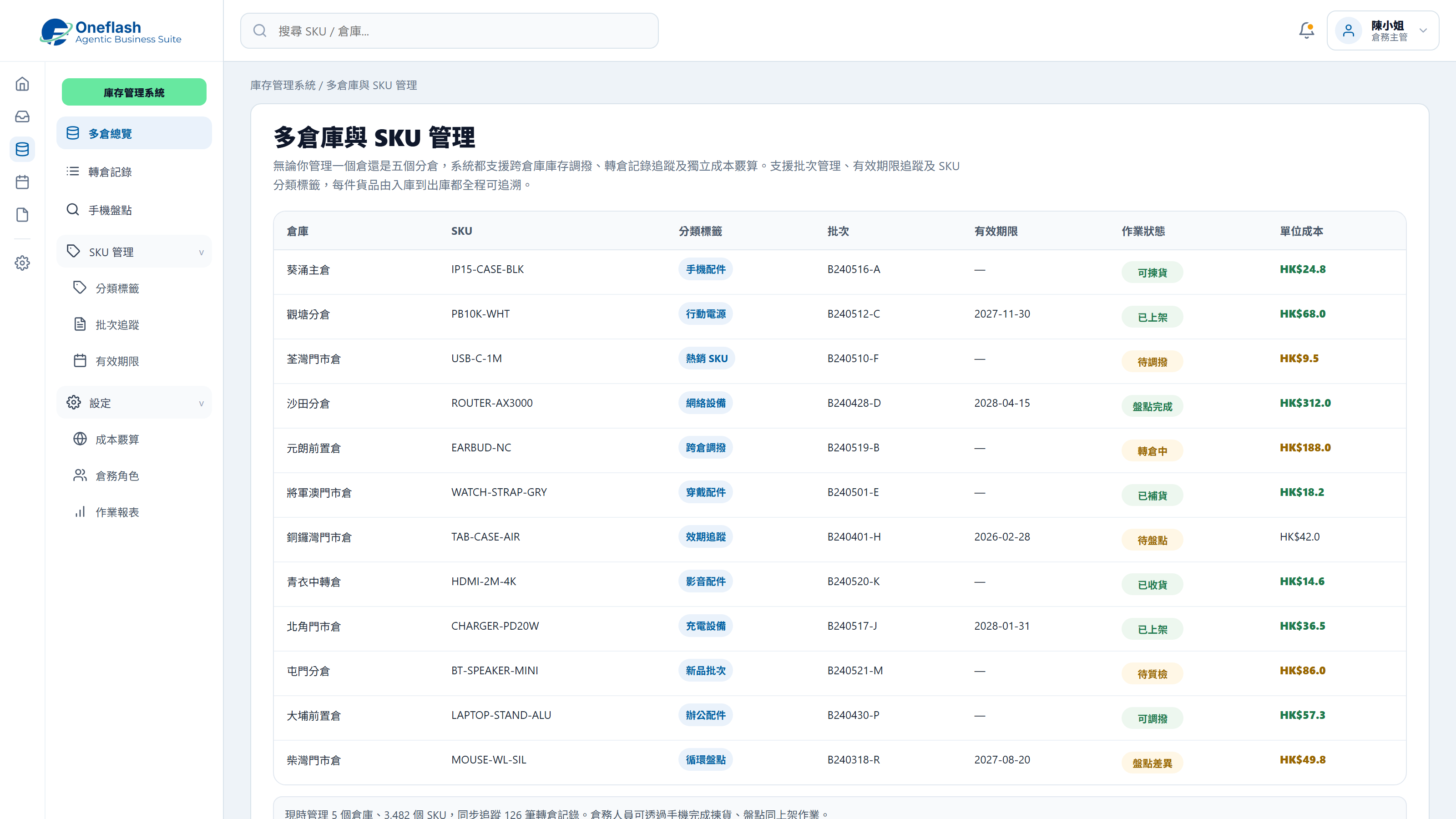
SKU and batch management

Support SKU, batch and expiry tracking, with mobile scanning for warehouse stocktakes.

SKU and batch management

Could one instruction handle repeated work?

Connect AI agents through MCP and start system tasks with one instruction

AI operations assistant

Inventory lead

Check low-stock products and prepare replenishment suggestions based on sales velocity and safety stock, then send them for approval.


AI inventory agent

  • Read inventory, sales velocity, and safety stock
  • Prepare low-stock items and reorder quantities
  • Create purchase suggestions and supplier summary
  • Wait for approval before creating purchase orders

Replenishment suggestions are ready, including low-stock items, recommended quantities, suppliers, and estimated amount. Please review before creating purchase orders.

Replenishment approval

Approve AI to create these replenishment purchase orders?

AI that works under your team

Give each team member an AI assistant. People give instructions, and AI does the work.

AI that works under your team

People approve key actions

AI can prepare tasks. Important actions still need a person to check and approve.

People approve key actions

Clear access rules

AI only sees the data it is allowed to use. This helps keep business data safer.

Clear access rules

Connect your AI tools

Connect tools like Manus and Claude to daily work. Keep tasks, permissions, and results in one system.

Connect your AI tools

In 2026, does inventory management also need fuller replenishment support?

More inventory tools for stock control, purchasing and warehouse operations

Barcode stock-in and stock-out

Turn a phone into a scanner and record stock-in, stock-out and transfers without handwritten forms.

Safety stock alerts

Set safety stock levels for each product and send WhatsApp or email alerts when stock drops below the line.

Multi-warehouse transfer sync

Manage multiple warehouse locations and track transfer records with real-time stock updates.

Mobile warehouse stocktaking

Let warehouse staff pick, count and put away stock through a mobile app with live system updates.

Supplier management

Keep supplier contacts, quotations and purchase history in one place, then generate purchase orders quickly.

Bulk product import

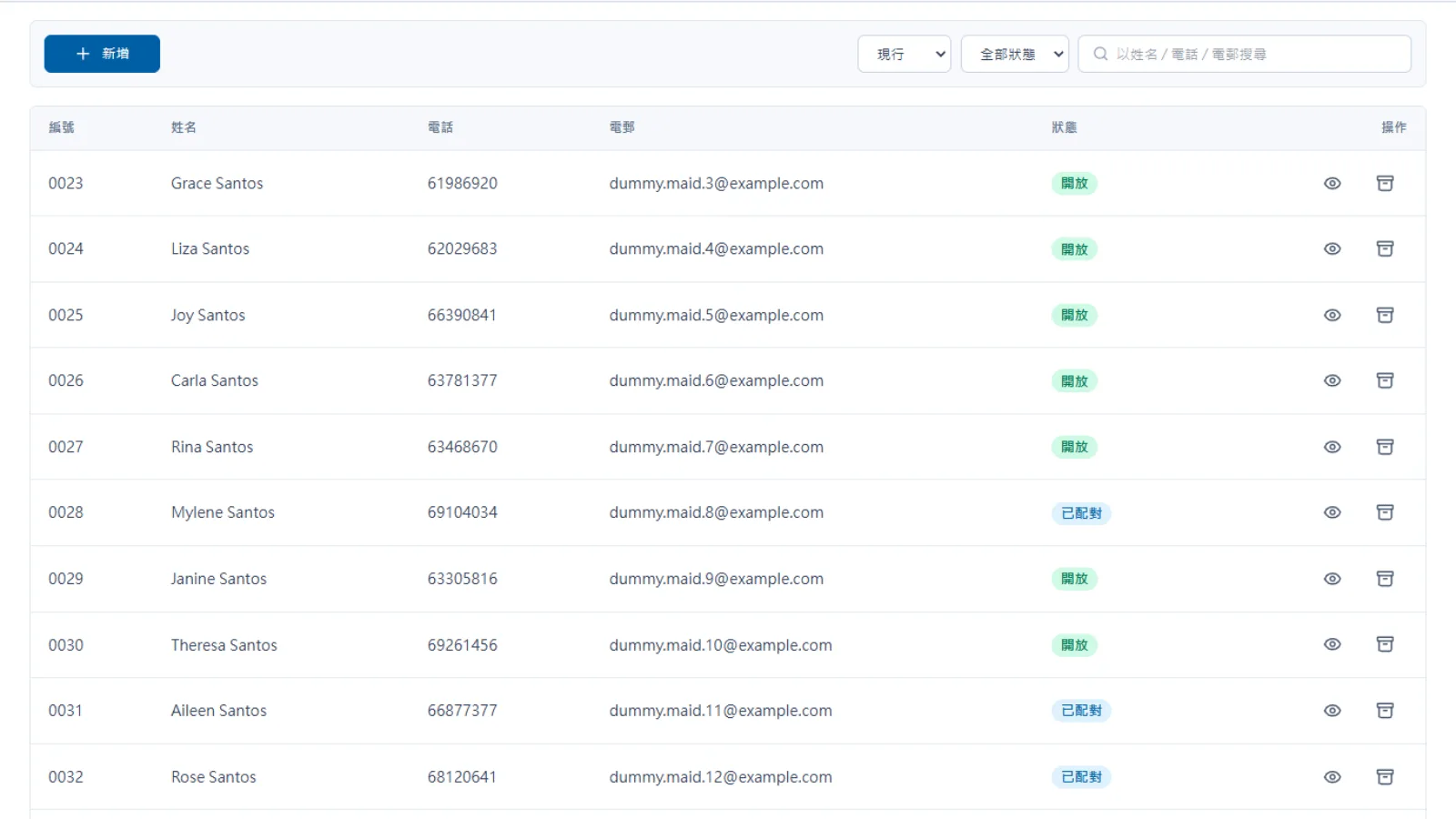
Import products, SKUs, supplier data and opening stock through Excel or CSV to speed up setup.

Handwritten stock-in and stock-out records make month-end stocktake slow and hard to trace. With a clearer inventory system, teams can scan items, check stock levels and follow product movement in one place.

After launch, where will inventory workflow improvements become visible?

Measure results through stock checks, replenishment decisions and warehouse accuracy

Poor inventory management can create avoidable stock loss, overstock and missed sales opportunities.

U.S. Government Publishing Office (GPO)

Structured inventory management helps reduce excess stock and lower the risk of stockouts.

McKinsey & Company

Digital stocktaking can shorten monthly counting work and improve inventory accuracy.

PwC Digital Operations Report
Before
After
Stock enquiry
Call warehouse staff to confirm one by one
Check all stock levels instantly on mobile
Stocktaking process
Manual counting can take days
Barcode scanning completes checks faster
Replenishment decisions
Based on experience and often inaccurate
System calculates suggested reorder points
Supplier communication
Follow up each order by WhatsApp or phone
Generate purchase orders and send to suppliers
Picking error rate
Handwritten slips cause frequent errors
System-guided picking reduces mistakes

Worried your IT project will drag on?

Managed by PMP® consultants with a clear delivery process

01

Discovery

Turn business goals into system logic, instead of forcing a template.

  • Workflow review: identify pain points in the current process
  • Solution walkthrough: align expected results before build
02

Data migration

We help organise and import existing data to reduce the migration burden.

  • Data cleanup: prepare old records before import
  • Acceptance testing: verify key flows before launch
03

Launch

After setup, the system can go live with local support available by priority.

  • System handover: launch after required settings are complete
  • Ongoing support: local team follows up on usage issues

We understand the questions that come before a new system goes live

Common questions before implementation

Is inventory data protected?

Cloud protection for stock and transaction records

Inventory and transaction data use AWS and Cloudflare safeguards:
  • SSL encryption and DDoS protection
  • Encrypted data in transit and at rest
  • Off-site backup and recovery support
Is inventory data protected?

Will learning the system take long?

Clear warehouse screens for faster adoption

The system is designed for daily warehouse work:

  • Guided onboarding for managers and key users
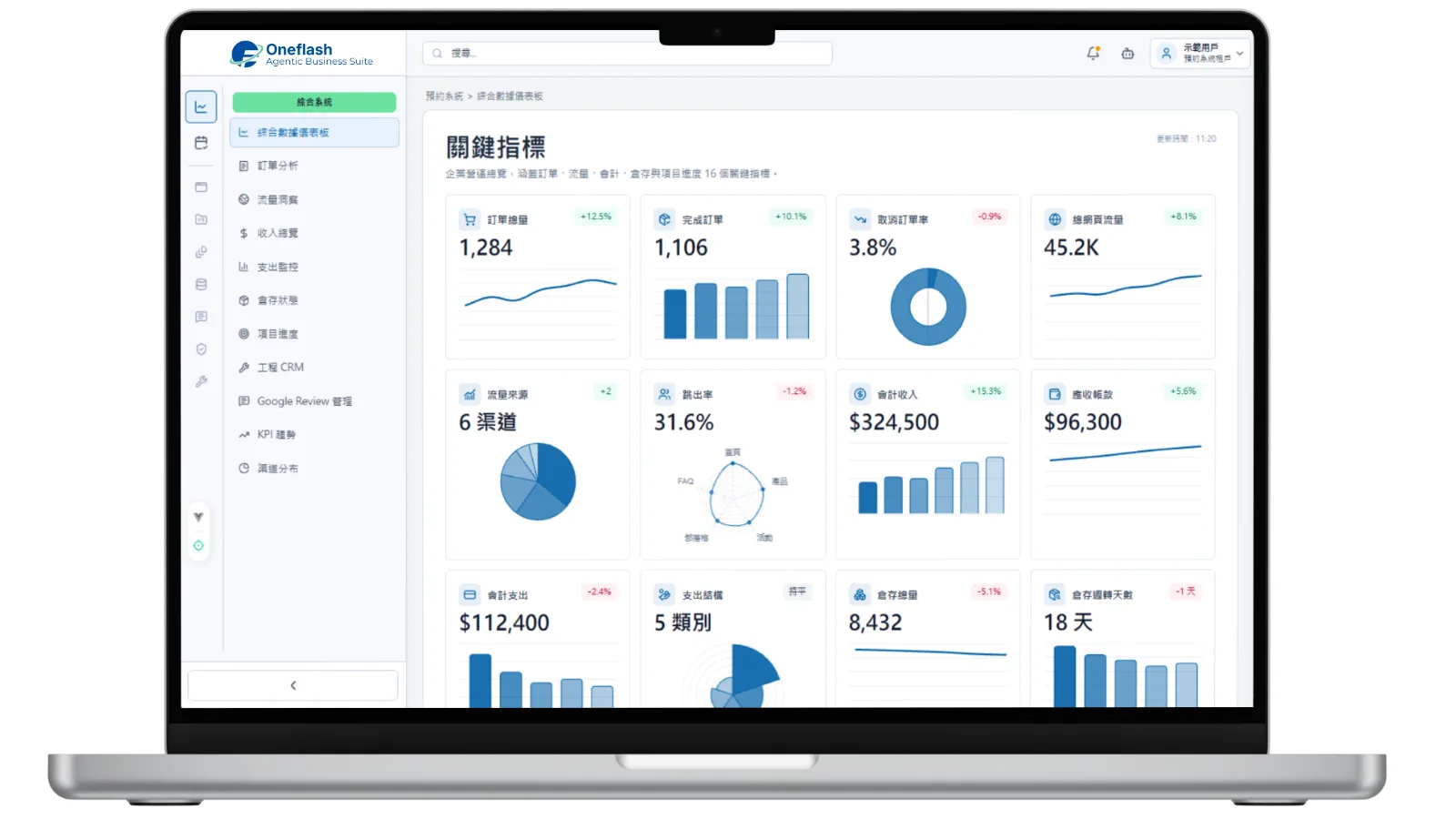
  • Visual stock dashboard for quick checking
  • Typical setup can be completed within four to six weeks
Will learning the system take long?

What if the team has questions during daily use?

Local support for daily warehouse issues

We provide practical support after launch:

  • WhatsApp support for daily questions
  • Remote checks and maintenance when needed
  • Response within 24 hours on business days
What if the team has questions during daily use?

How do you keep the project on schedule?

Structured delivery led by experienced consultants

Delivery is managed through clear project stages:

  • Consultants align the stock workflow before build
  • Milestones are tracked and visible
  • Testing checks warehouse logic before launch
How do you keep the project on schedule?

Do we need to enter old data manually?

Product and stock data migration support

We help prepare existing data before launch:

  • Product, SKU and supplier data can be organised for import
  • Opening stock can be migrated from Excel or CSV
  • Consultants review key records for accuracy
Do we need to enter old data manually?

Can we keep our own data backup?

Inventory data can be backed up separately

Your team can keep an additional copy of key data:

  • Encrypted backup to your selected cloud storage
  • Exportable stock and transaction records
  • Clearer control over business data ownership
Can we keep our own data backup?

Can another vendor maintain it later?

Optional source-code arrangement for long-term control

For teams with technical ownership needs, we can provide extra options:
  • Optional source-code arrangement
  • Clearer future hosting choices
  • Reduced vendor lock-in risk
Can another vendor maintain it later?

How does Oneflash Agentic Business Suite support inventory?

More than a stock list, a connected business system

Oneflash Agentic Business Suite connects inventory with daily operations:
  • Unified records for purchasing, stock, sales, suppliers and cost
  • Extendable modules such as POS, eCommerce, ordering and reports
  • MCP-connected AI agents can help check stock and prepare replenishment suggestions
How does Oneflash Agentic Business Suite support inventory?

Is the Oneflash team experienced enough?

AI, business systems and local delivery experience

The Oneflash team combines AI agent, system and local SME delivery experience:

  • Recognised through commercial projects and business awards
  • Experience across ERP, CRM and operational systems
  • Focused on clear UI, stable architecture and practical rollout
Is the Oneflash team experienced enough?

More implementation and support questions

Precise stock control without spreadsheet guesswork

Does it support multiple currencies?
Yes. Supplier currencies, purchase orders and cost calculations can be managed with exchange-rate conversion.
Does the system support offline operation?
Yes. Mobile scanning can continue offline and sync back to the cloud when the connection returns.
Can existing Excel product data be imported?
Yes. Excel or CSV import can bring in product data, SKUs, suppliers and opening stock.
How many warehouses can be managed?
The system can support multiple warehouses, each with its own stock levels, safety stock and permissions.
Does it support barcode scanning?
Yes. Staff can scan barcodes using a phone or tablet without buying expensive scanning hardware.
Does it support batch and expiry tracking?
Yes. Each batch can track receiving date, expiry date and storage location, with alerts before expiry.
Can purchasing and sales use different currencies?
Yes. Purchasing and sales can record different currencies and convert them for cross-border operations.
Can warehouse staff work when the connection is unstable?
Yes. Warehouse staff can scan stock movements offline and sync records when reconnected.
How are returns and damaged goods handled?
Returns can be scanned back into the system, with stock updated, reasons recorded and approval flows triggered if needed.
How is permission control configured?
Role-based permissions can be set by warehouse and function, so sensitive stock data is only available to authorised staff.

Build an inventory workflow that keeps stock-in, stock-out, replenishment and supplier follow-up clear.

Do you have 5 minutes ?

Clarify purchasing, inventory and sales workflows

Preferred Call Time *

Contact us

Consultants Online:0, Last Updated: 2026-06-22, 05:00

Please leave a message and we will reply on the next business day.