★★★★★Used and validated by Hong Kong SME teams

Expense Management

Submit expense claims by photo, automate approval workflows and keep finance admin from slowing the team down.

AI receipt capture Real-time online approval
See our background

In 2026, is expense reimbursement still slowing your team down?

Manual claims waste admin time

  • Employees need to attach receipts, fill claim forms and submit missing details
  • Handwritten amounts and receipt data are easy to misread
  • Admin expenses lack structured records, making month-end tracking harder

Do employees still need to attach receipts, fill forms and wait for admin to check each item?

Manual claims waste admin time

Approval takes too long

  • Paper receipts can pile up on approvers' desks
  • Approval delays affect staff reimbursement timing
  • Without reminders, pending claims are easy to miss

Are reimbursement claims often delayed while waiting for approval?

Approval takes too long

Overspending is hard to spot early

  • Overspending is only noticed during month-end reconciliation
  • Department expenses lack real-time alerts
  • Management cannot see cost movements early enough

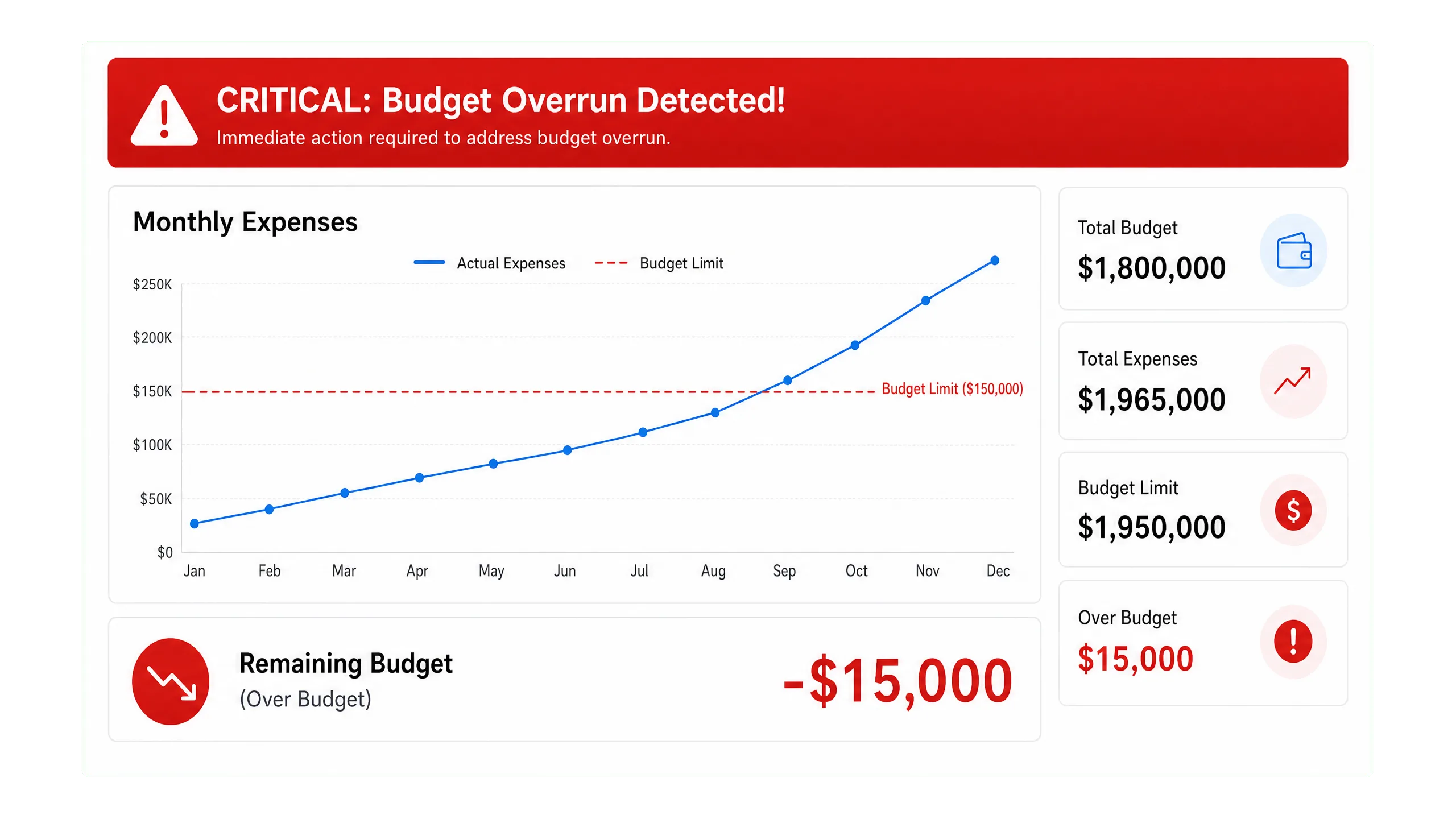
Before monthly reports are ready, is it hard to see which departments are over budget?

Overspending is hard to spot early

How can expense claims be made clearer?

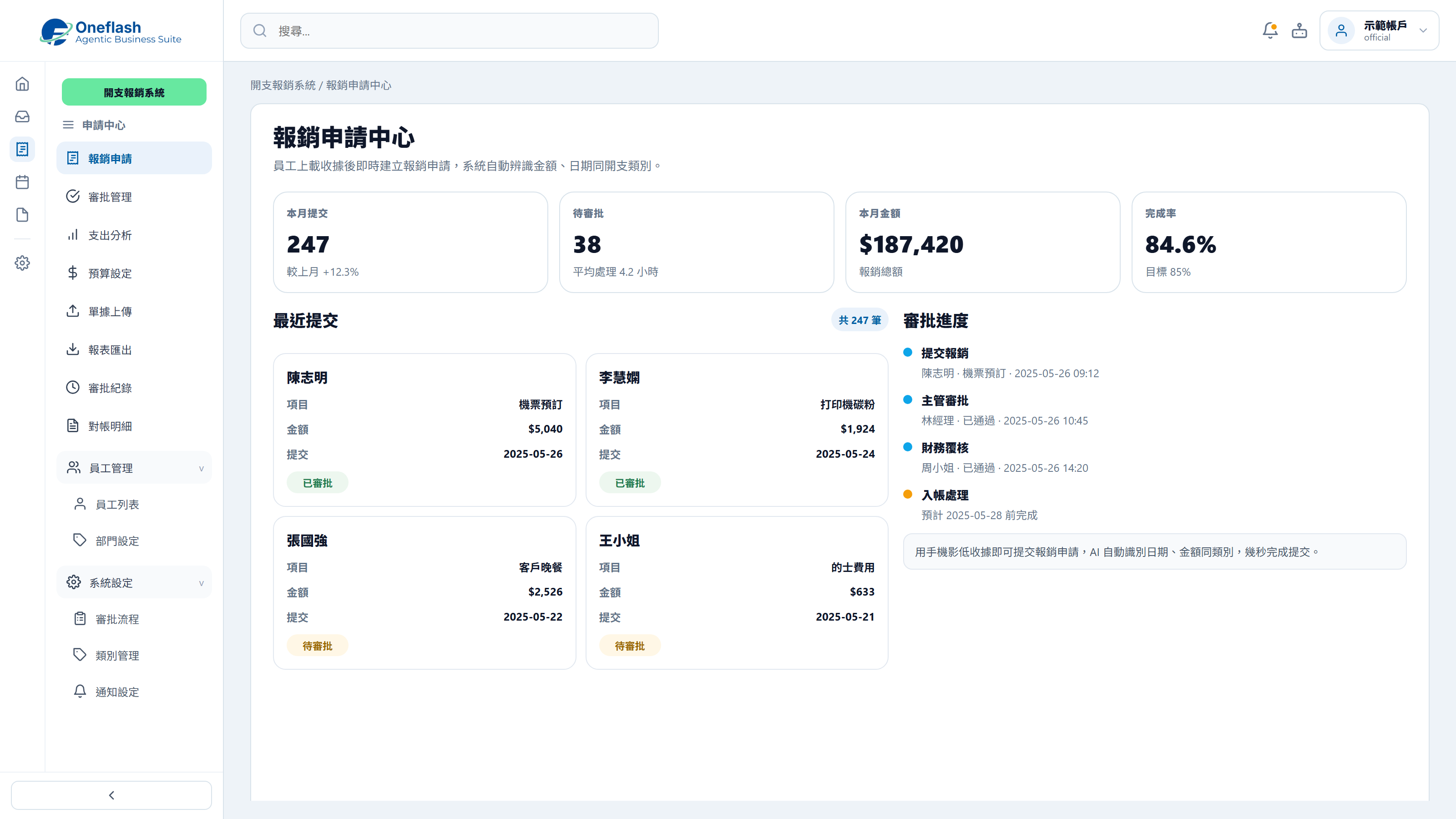
Photo-based receipt claims

Employees submit a photo of the receipt, and the system reads the date, amount and category.

Photo-based receipt claims

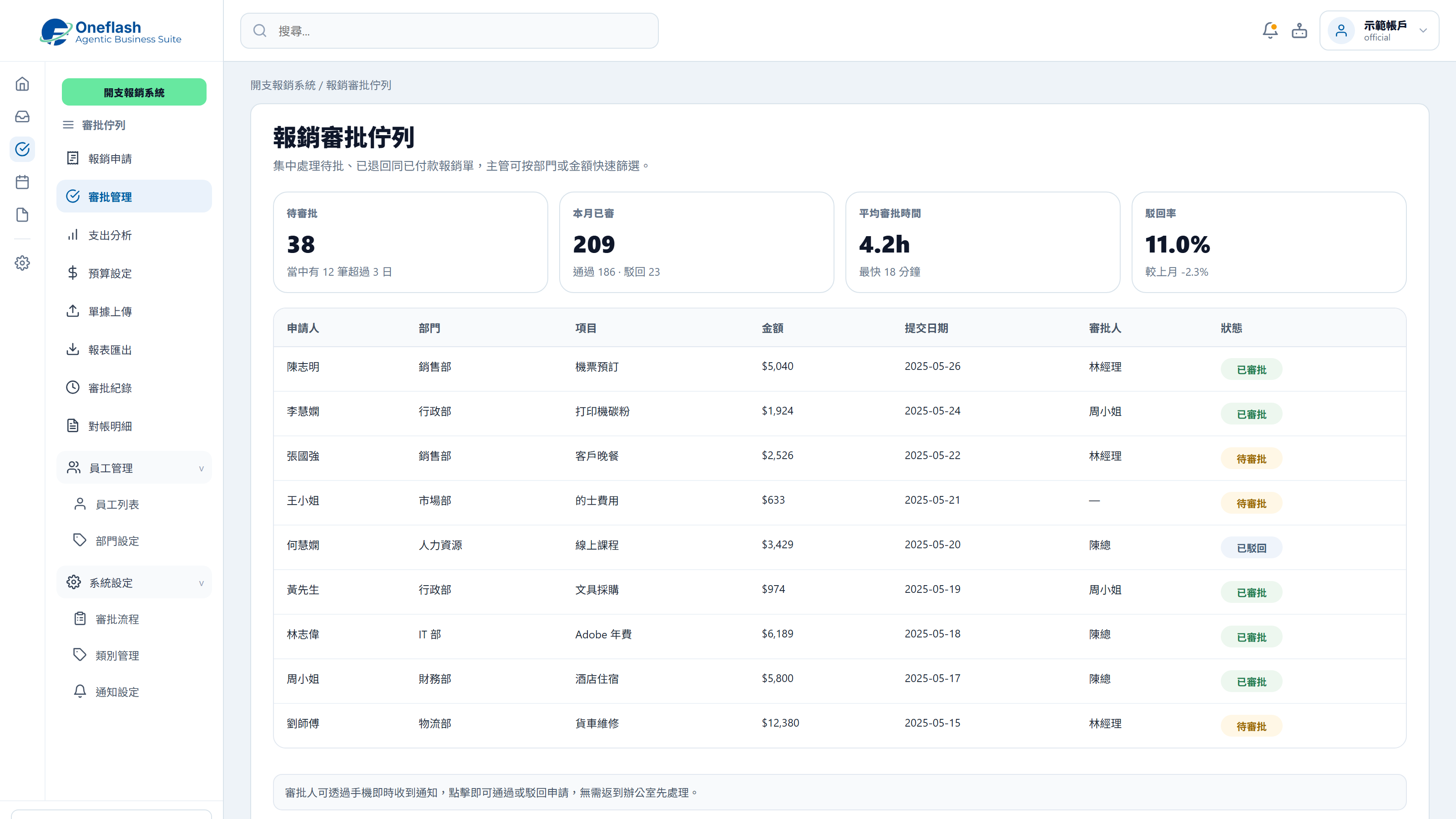
Online approval workflow

Approvers can review, approve or return expense claims online.

Online approval workflow

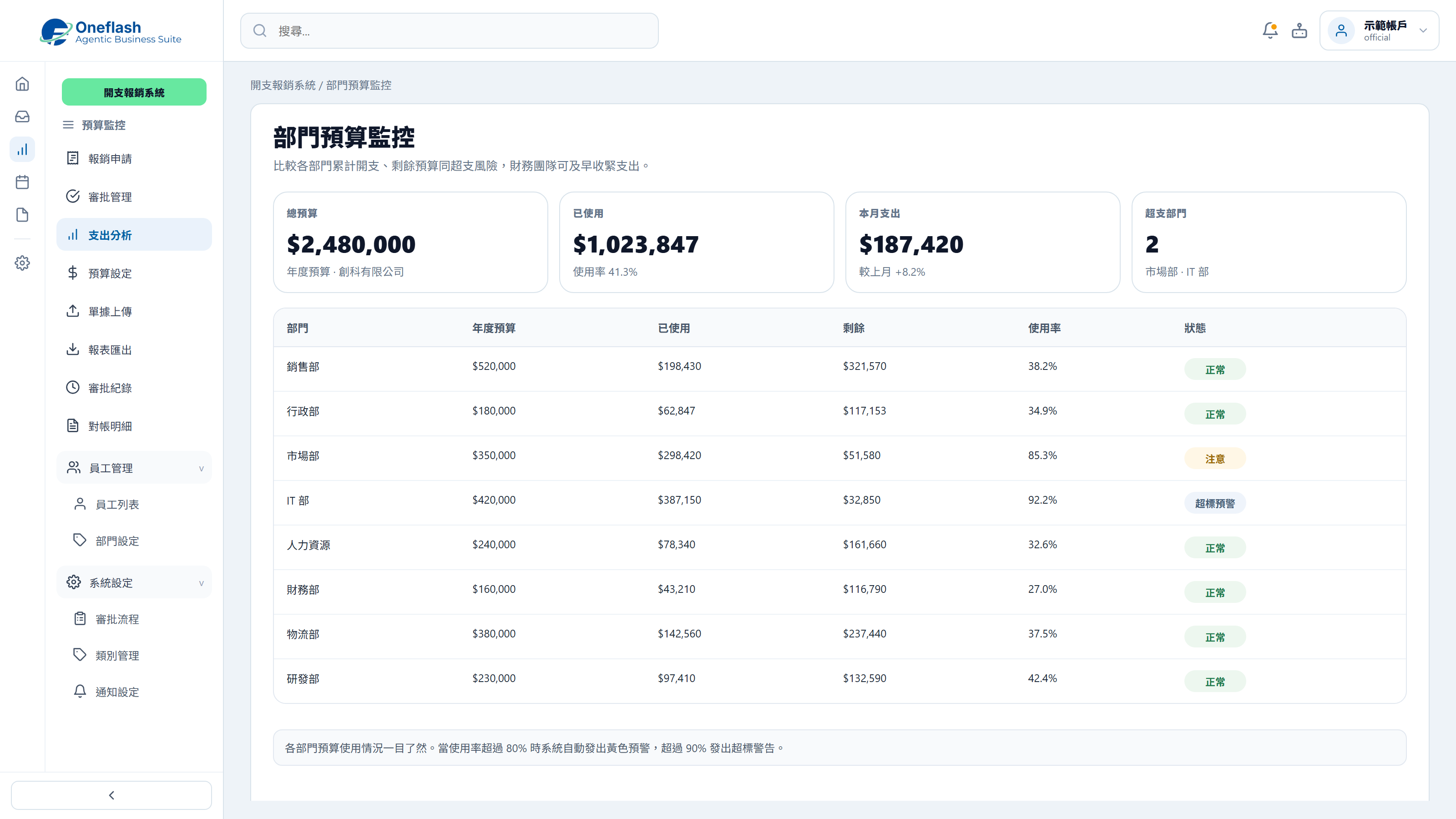
Budget usage monitoring

Track spending by category and receive alerts when expenses approach budget limits.

Budget usage monitoring

Could one instruction handle repeated work?

Connect AI agents through MCP and start system tasks with one instruction

AI operations assistant

Finance lead

Organise this week’s employee expense claims. Check receipts, categories, amounts, and policy rules, then send them for approval.


AI expense agent

  • Read expense claims and receipt data
  • Check categories, amounts, and policy limits
  • Prepare approval suggestions and exceptions
  • Wait for approval before updating reimbursement status

The expense approval list is ready, including receipt checks, categories, exceptions, and recommendations. Please review before approving.

Expense approval

Approve AI to update these expense claim statuses?

AI that works under your team

Give each team member an AI assistant. People give instructions, and AI does the work.

AI that works under your team

People approve key actions

AI can prepare tasks. Important actions still need a person to check and approve.

People approve key actions

Clear access rules

AI only sees the data it is allowed to use. This helps keep business data safer.

Clear access rules

Connect your AI tools

Connect tools like Manus and Claude to daily work. Keep tasks, permissions, and results in one system.

Connect your AI tools

In 2026, does reimbursement also need a fuller expense control workflow?

A complete expense management toolkit for claims, approval and records

Cloud receipt archive

Store receipts in high quality so they are easier to retrieve for audit and tax review.

One-click claim summary export

Generate monthly claim summaries and export CSV or PDF files for accounting checks.

Project cost linkage

Link expenses to projects to see real material, travel and labour-related costs.

Duplicate receipt detection

Compare receipt references automatically and flag possible duplicate claims.

Multi-currency conversion

Convert foreign-currency expenses with exchange-rate support for clearer reimbursement.

Payment status tracking

Let staff see whether a claim is under approval, pending payment or completed.

Expense applications, receipts, approvals and budget status can be managed in one workflow, making checks easier for finance and admin teams.

After launch, where will reimbursement workflow improvements become visible?

Measure results through approval speed, budget control and admin workload

Digitised expense claims reduce manual input errors and help prevent duplicate reimbursements.

Financial Tech Review

Online approval can shorten reimbursement cycles and improve employee experience.

Business Process Journal

Cloud receipt archives help reduce paper storage needs and support audit review.

Audit Compliance
Before
After
Submission
Handwritten form with paper receipts
Photo upload with AI-assisted entry
Approval
Receipts wait on desks
Mobile approval in one step
Budget control
Overspending found at month-end
Dashboard with overspend alerts
Record storage
Thermal receipts fade
Cloud archive for clear retrieval
Reconciliation time
Manual Excel entry by receipt
Reports generated for quick checking

Worried your IT project will drag on?

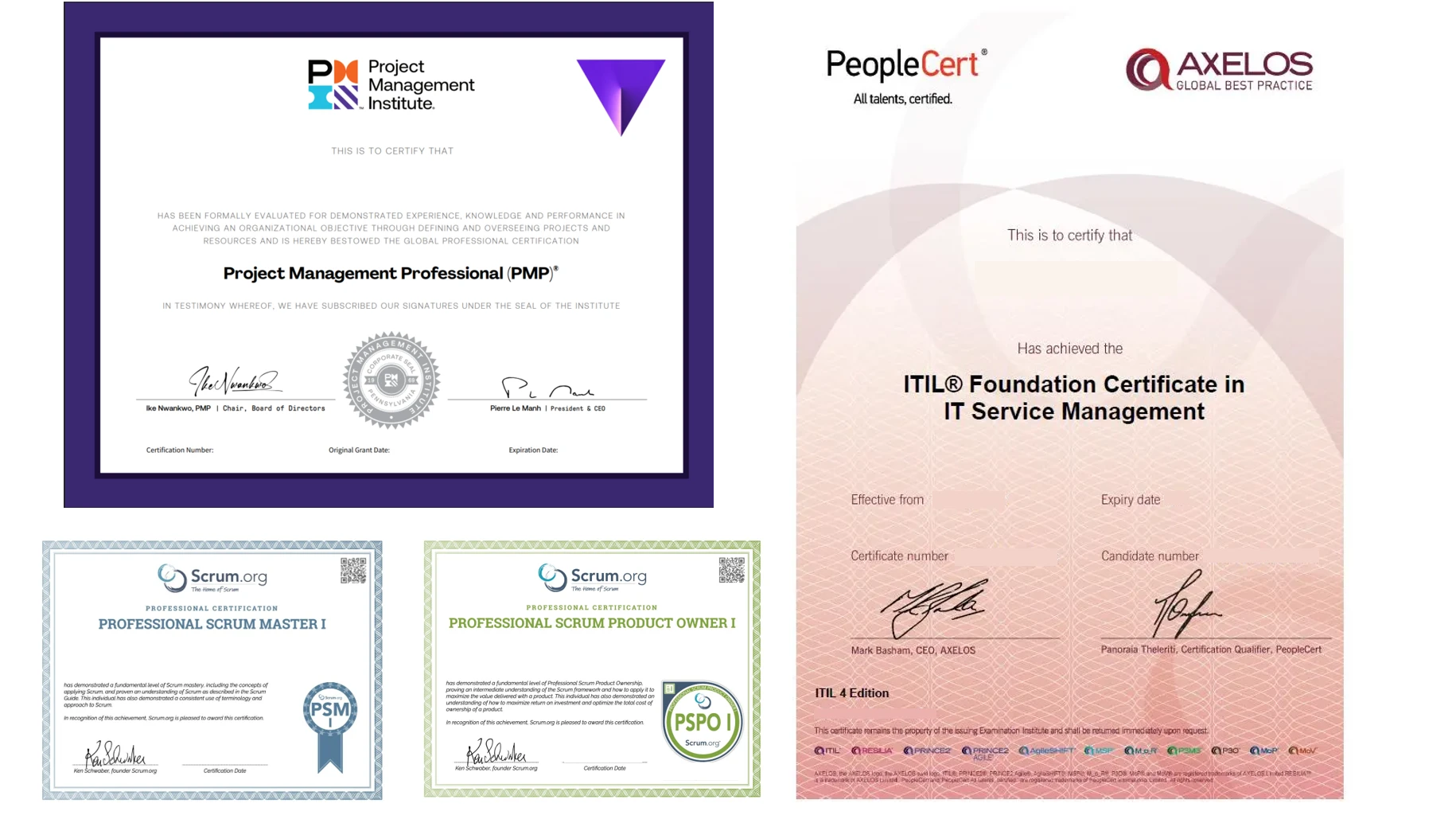
Managed by PMP® consultants with a clear delivery process

01

Discovery

Turn business goals into system logic, instead of forcing a template.

  • Workflow review: identify pain points in the current process
  • Solution walkthrough: align expected results before build
02

Data migration

We help organise and import existing data to reduce the migration burden.

  • Data cleanup: prepare old records before import
  • Acceptance testing: verify key flows before launch
03

Launch

After setup, the system can go live with local support available by priority.

  • System handover: launch after required settings are complete
  • Ongoing support: local team follows up on usage issues

We understand the questions that come before a new system goes live

Common questions before implementation

Is our data secure?

Enterprise-grade cloud protection and encrypted expense data

Finance data and staff expense records are protected with cloud security practices:
  • Real-time protection: SSL encryption and DDoS protection
  • Data encryption: expense and receipt records protected in transit and storage
  • Recovery support: automatic backup and restore options
Is our data secure?

Will the team need a long time to learn it?

Designed for quick photo-based claims

The workflow is designed for everyday staff use:
  • Simple UI: take a photo and submit a claim in a few steps
  • Process fit: built around real reimbursement habits
  • Short onboarding: staff can start using it quickly
Will the team need a long time to learn it?

What if we run into daily operation issues?

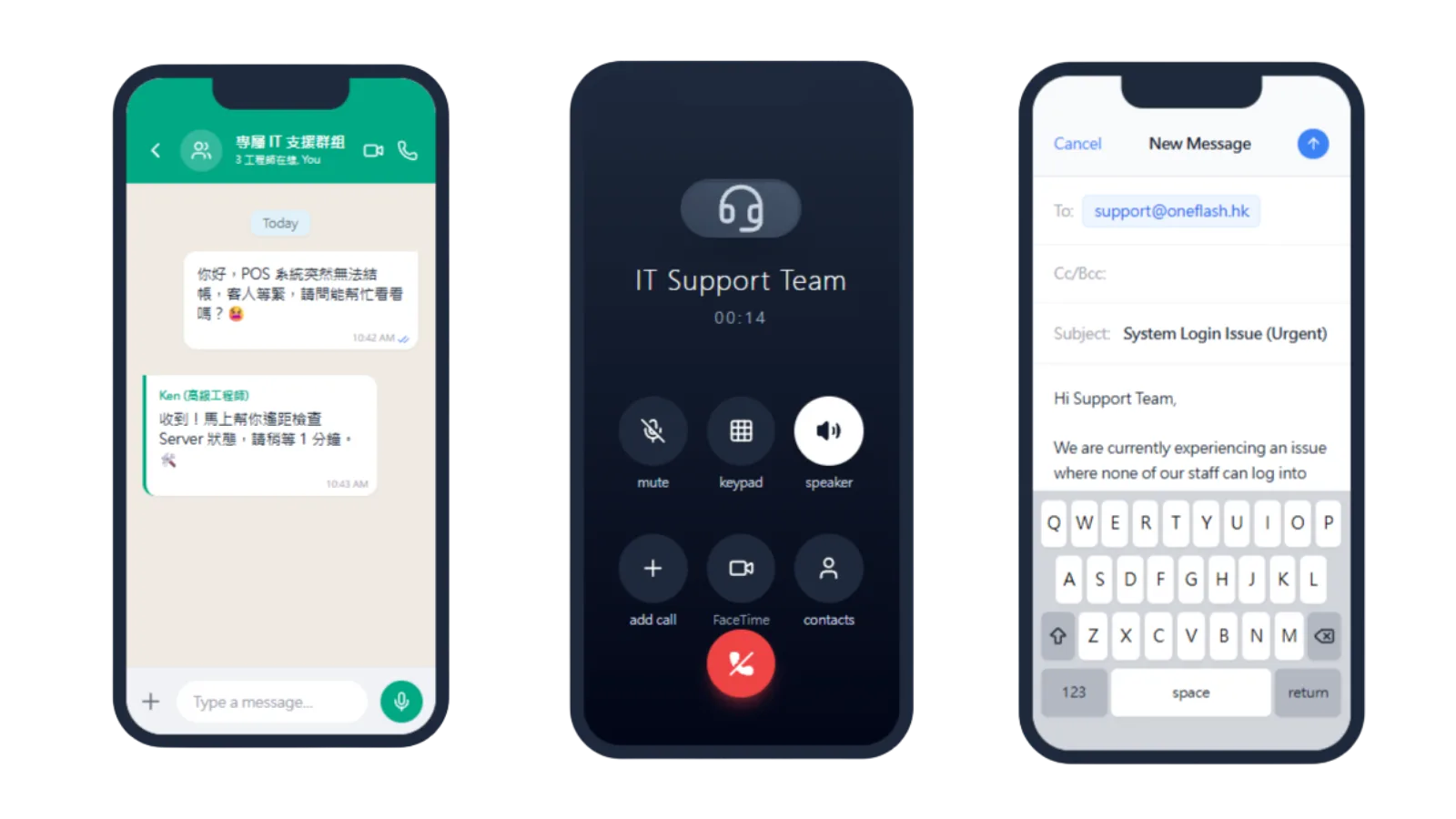
Local Hong Kong technical support through WhatsApp

Our local team can help with expense operation questions directly:

  • Fast support: handle receipt upload or approval questions through WhatsApp
  • Operational follow-up: reduce disruption to reimbursement flow
  • Practical advice: support expense control and approval setup
What if we run into daily operation issues?

How do you keep the project on schedule?

Structured delivery led by experienced consultants

Delivery is managed with clear milestones and review points:

  • Consultant-led setup: claim and approval logic is clarified early
  • Visible progress: setup and testing stages are tracked
  • Business fit: workflows are reviewed against your finance rules
How do you keep the project on schedule?

Do we need to enter old data manually?

We can help migrate claim and approval records

We can support migration so your team does not start from zero:
  • Handled by specialists: clean old claim and approval records
  • Complete transfer: reduce manual re-entry of historical claims
  • Quality check: review imported finance data before go-live
Do we need to enter old data manually?

Can we keep our own data backup?

Optional backup to your own cloud storage

You can retain control over claim and finance records:

  • Auto sync: encrypted backup to your selected cloud drive
  • Data control: access expense records when needed
  • Transparent process: clearer handling of company expense data
Can we keep our own data backup?

Can another vendor maintain it later?

Source-code licensing options can reduce vendor lock-in

For teams with long-term technical requirements, we can provide extra safeguards:
  • Source option: optional open-source or source-code arrangement
  • Less lock-in: future hosting and maintenance choices remain flexible
  • Asset protection: support long-term business continuity
Can another vendor maintain it later?

How does Oneflash Agentic Business Suite support expense approval?

Not just a claim form, but a trackable approval workflow

Oneflash Agentic Business Suite is built for SMEs that need connected business workflows.
  • Unified records: claims, receipts, approvals, payments and department data in one place
  • Modular growth: add budgets, accounting export, permissions or reports later
  • AI collaboration: connect AI agents through MCP to check data, organise receipts and remind approvers
How does Oneflash Agentic Business Suite support expense approval?

Is the team reliable?

A team with AI, business systems and local implementation experience

The Oneflash team combines AI agents, business systems and local SME implementation experience:

  • Market recognition: technical work recognised by listed companies and business awards
  • System experience: background in ERP, CRM and operating systems
  • Practical delivery: clear UI, stable architecture and consultant-led rollout
Is the team reliable?

More implementation and support questions

Build an expense management workflow that covers applications, approvals, receipt records and budget tracking.

Do you have 5 minutes ?

Organise applications, approvals and reimbursement records together

Preferred Call Time *

Contact us

Consultants Online:0, Last Updated: 2026-06-22, 05:00

Please leave a message and we will reply on the next business day.